Hyperlinks Plugin
Create Your Shortcut
- Copy and paste a link into the launcher: https://universallauncher.com
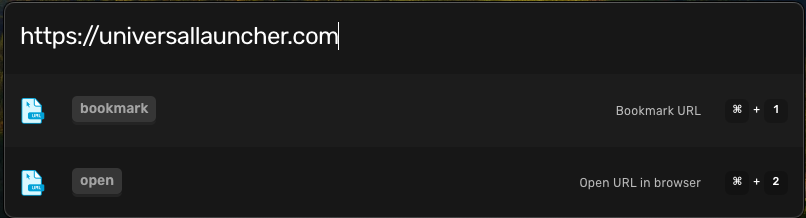
- Hit Return

- Type a shortcut like
la(anything memorable) and hit Return

Use Your Shortcut
- Open the launcher with CMD + Space
- Type
ul - Hit Return

- Why is this useful?
Ever lose your tab? Ever go to a website you always go to and have to navigate through a difficult terrain of links, buttons, and impossible UI/UX? Bypass ALL OF IT with Hyperlinks.
-
Open your UL Launcher CMD + Space
-
Type
np -
Hit Return